
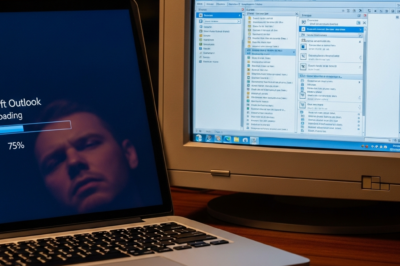
The Great Outlook Transition: A Performance Hurdle for Power Users
For nearly three decades, Microsoft Outlook has stood as the unwavering titan of enterprise communication, offering a robust suite of tools for email management, scheduling, and organizational workflows. However, the recent push toward the ‘New Outlook’ for Windows—a unified, web-based client—has sparked a significant debate regarding performance and user efficiency. A recent report from Windows Latest has brought to light a frustrating reality for many long-time users: tasks that were once instantaneous in the Win32-based Outlook Classic now take up to ten seconds to complete in the new version. This discrepancy is not merely a minor annoyance; for professionals who process hundreds of emails daily, a ten-second delay on common actions represents a massive hit to cumulative productivity. The transition represents a fundamental shift in how Microsoft develops desktop software, moving away from high-performance, native code toward the more portable but resource-intensive world of web technologies. As Microsoft continues to nudge users toward this new experience, the community is raising critical questions about whether the benefits of a unified codebase are worth the sacrifice of the fluid, responsive interface that defined the Outlook brand for years. This article explores the technical underpinnings of this lag, the enterprise implications, and what this means for the future of the Microsoft 365 ecosystem.
The Architecture of Delay: Win32 vs. WebView2
To understand why the new Outlook feels significantly slower, one must look at the underlying architecture. The Outlook Classic that millions have used for years is a native Win32 application. It is written in languages like C++, which allow for direct communication with the operating system and the hardware. When you click a folder or open a message in Outlook Classic, the response is nearly as fast as the monitor’s refresh rate because the code is compiled specifically for the Windows environment and manages its own memory and processing threads with extreme precision. In contrast, the ‘New Outlook’ is essentially a Progressive Web App (PWA) wrapped in a Windows container using Microsoft’s WebView2 control. This means that when you open the new Outlook, you are essentially launching a specialized version of the Microsoft Edge browser that loads the Outlook.com website. Every action taken—whether it is switching from the Inbox to the Calendar, opening a rich-text email, or searching for a contact—must pass through several layers of abstraction. The JavaScript engine must parse the request, communicate with the web servers, and then render the UI using web technologies like React. This architectural sandwich is the primary reason for the ‘ten-second wait.’ While web apps have become incredibly sophisticated, they still struggle to match the low-latency responsiveness of local, compiled binary code, especially when dealing with the complex, data-heavy workloads typical of an enterprise email client.
Project Monarch and the Quest for a Unified Codebase
The development of the new Outlook is part of a larger internal initiative at Microsoft known as ‘Project Monarch.’ The goal of Project Monarch was to eliminate the fragmentation of the Outlook experience across different platforms. Previously, Microsoft had to maintain separate codebases for Outlook for Windows, Outlook for Mac, Outlook for iOS, Outlook for Android, and the Outlook.com web interface. This was an expensive and slow process, as every new feature had to be rebuilt from scratch for each platform. By moving to a web-based core, Microsoft can write a feature once and deploy it everywhere simultaneously. From a business and maintenance perspective, this is a brilliant move that saves thousands of developer hours and ensures a consistent look and feel for all users. However, the ‘One Outlook’ vision has come at a high price for Windows power users. By targeting the ‘lowest common denominator’—the web browser—Microsoft has inadvertently stripped away the performance advantages that native Windows users have enjoyed for decades. The report that simple actions take ten seconds highlights the gap between the theoretical efficiency of a unified codebase and the practical reality of daily use on high-end hardware. Users with powerful PCs, featuring NVMe SSDs and multi-core processors, find it jarring that their hardware cannot overcome the inherent overhead of a web wrapper, leading to a sense that the software is ‘bottlenecking’ their productivity.
The Enterprise Impact: Productivity Loss and IT Frustration
In the corporate world, time is quite literally money. If an employee handles 50 emails a day and experiences a 10-second lag for each interaction, that results in nearly 10 minutes of wasted time per day, per employee. Across an organization of 1,000 people, this adds up to hundreds of hours of lost productivity every single week. This is why IT administrators are expressing concern over the forced migration to the new Outlook. Beyond the raw speed, the new Outlook lacks several ‘power user’ features that were staples of the Classic version. For instance, the support for COM add-ins—which many businesses use for specialized workflows like document management or secure encryption—is entirely absent in the new web-based version. Furthermore, the handling of offline data and PST files is significantly more limited. In Outlook Classic, the local caching mechanism was highly optimized, allowing for seamless work even with spotty internet connections. In the new version, the reliance on a ‘connected experience’ means that even minor network fluctuations can exacerbate the already present UI lag. This creates a ripple effect where users become less likely to use the tool effectively, leading to a backlog of communication and increased stress. The ‘ten-second’ headline from Windows Latest serves as a lightning rod for these broader frustrations, symbolizing a perceived regression in the tools professionals rely on most.
User Sentiment and the ‘Toggle’ Dilemma
Microsoft currently allows users to ‘Try the New Outlook’ via a toggle switch in the upper-right corner of the Classic app. While this provides a choice, the feedback from those who have made the switch is overwhelmingly focused on performance. Community forums, Reddit threads, and Microsoft’s own Feedback Hub are filled with reports of the app hanging, slow synchronization, and a general lack of ‘snappiness.’ Many users report that they frequently toggle back to the Classic version just to get their work done quickly. This creates a dilemma for Microsoft: if they force the migration too early, they risk alienating their most loyal user base; if they delay, they continue to bear the cost of maintaining legacy code. The psychological impact of a slow UI cannot be overstated. When a user interacts with a digital tool, they expect a certain level of tactile feedback. When that feedback is delayed by several seconds, it breaks the user’s ‘flow state.’ The new Outlook’s tendency to show loading spinners where the Classic version showed data creates a cognitive load that makes the workday feel more taxing. Microsoft has promised continuous updates to improve performance, citing optimizations in the WebView2 runtime and better caching strategies, but the fundamental limitations of the web-based approach remain a significant hurdle that developers are struggling to clear.
Future Outlook: Can Optimization Bridge the Gap?
Looking forward, the question remains: can Microsoft ever make a web-wrapped app feel as fast as a native one? The company is betting heavily on technologies like WebAssembly (Wasm) and further refinements to React to shrink the performance gap. There are also rumors of deeper OS-level integrations for WebView2 that could allow the new Outlook to pre-load certain components in the background, reducing the perceived startup and transition times. However, history has shown that while web apps can be ‘fast enough,’ they rarely achieve the ‘instant’ feel of native software. Microsoft’s strategy seems to be one of gradual attrition—adding enough modern features to the new Outlook (such as better integration with Microsoft Loop, Teams, and AI-driven Copilot features) that users will eventually accept the slower performance in exchange for the new functionality. However, for the segment of the market that views email as a high-speed utility rather than a collaborative platform, the ‘ten-second wait’ will remain a dealbreaker. As we move into 2025, the pressure will be on the Outlook engineering team to prove that their new vision for email doesn’t come at the expense of the very efficiency that made Outlook the industry standard in the first place. For now, the advice for many remains the same: if speed is your priority, stick with Outlook Classic for as long as Microsoft allows.
Conclusion: Balancing Modernization with Performance
The transition from Outlook Classic to the New Outlook is a case study in the challenges of modern software engineering. It represents a clash between the corporate need for streamlined, cross-platform development and the end-user’s need for raw, uncompromising speed. While Microsoft’s ‘Project Monarch’ is an ambitious and logically sound strategy for a multi-device world, the current execution highlights a significant performance tax that users are not yet ready to pay. A ten-second delay for a task that should be instant is more than a technical glitch; it is a fundamental breakdown in the user experience. As Microsoft continues to iterate, they must prioritize the reduction of this latency if they hope to win over the millions of professionals who currently view the ‘New Outlook’ toggle with skepticism. Until the web-based version can match the ‘instant-on’ feel of its predecessor, the legacy of Outlook Classic will continue to cast a long shadow over Microsoft’s unified future. The coming months will be crucial as we see if software optimization can truly overcome the inherent overhead of the web, or if users will be forced to redefine their expectations of productivity in the age of the cloud-first desktop.







































Leave a Reply