
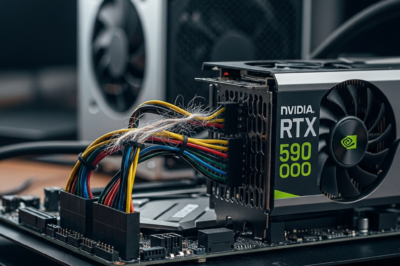
The tech world is currently buzzing with the imminent release of NVIDIA’s Blackwell architecture, specifically the flagship GeForce RTX 5090. As benchmarks and leaked specifications begin to paint a picture of a GPU with unprecedented power, a significant concern has emerged for a specific subset of the PC building community: Small Form Factor (SFF) enthusiasts. According to recent reports and technical analyses highlighted by outlets like TechRadar, using a standard PCIe riser cable in a mini PC setup with an RTX 5090 might not just be a performance bottleneck, but a genuine safety hazard. This warning stems from the massive leap in power consumption and signal frequency that the 50-series flagship represents, pushing the boundaries of what current aftermarket cable solutions can handle.
The Engineering Marvel and the Power Problem
The NVIDIA GeForce RTX 5090 is rumored to be an absolute behemoth of a graphics card, likely featuring the GB202 GPU core. With expectations of over 21,000 CUDA cores and the shift to high-speed GDDR7 memory, the performance gains are expected to be substantial. However, these gains come at the cost of extreme power draw. Rumors suggest a Total Device Power (TDP) that could reach as high as 600W or more. This is a significant jump even from the power-hungry RTX 4090. When you funnel 600 watts of power through a motherboard and its associated components, every link in the chain becomes a potential point of failure. In a traditional build where the GPU is plugged directly into the PCIe slot, the motherboard and power supply handle this load through reinforced traces and dedicated 12V-2×6 connectors. But in a mini PC, where space is at a premium, users often rely on PCIe riser cables to mount the GPU vertically or on the reverse side of the case. These cables are essentially extension cords for the most complex electrical interface in your computer.
Understanding Riser Cables: The Weak Link in the Chain
A PCIe riser cable is a flexible ribbon cable that allows a graphics card to be mounted away from the motherboard. While they are a staple for aesthetic builds and essential for most SFF cases, they introduce several electrical variables. First, there is the issue of signal integrity. The RTX 5090 will utilize the PCIe 5.0 standard, which doubles the bandwidth of PCIe 4.0. PCIe 5.0 is incredibly sensitive to distance and interference; even a few centimeters of unshielded or poorly manufactured cable can lead to signal degradation, resulting in blue screens, crashes, or a forced fallback to PCIe 3.0 speeds, which would severely handicap a card as powerful as the 5090. Second, and more importantly for the RTX 5090, is the physical power delivery. While the majority of the power comes from the 12V-2×6 cable directly from the PSU, the PCIe slot itself is required to provide up to 75W. A riser cable must bridge this power gap flawlessly. If the traces in the riser cable are too thin or made of inferior materials, they can overheat under the constant high-amperage load of a flagship GPU.
The Mini PC Paradox: SFF vs. High-End GPUs
The Small Form Factor community has always prided itself on ‘liter-shaming’—fitting the most powerful components into the smallest possible volume. However, the RTX 5090 might be the card that finally breaks this trend. Mini-ITX cases often use ‘sandwich’ layouts where a riser cable is non-negotiable. The thermal environment in these cases is already challenging. When you add a 600W GPU that generates immense heat, the ambient temperature inside the case rises significantly. This heat can actually affect the electrical resistance of the riser cable. As resistance increases, the cable gets hotter, creating a dangerous feedback loop. Furthermore, the physical clearance for the 12V-2×6 connector in narrow SFF cases often requires tight bends. We saw with the RTX 4090 that improper seating or extreme bending of power cables led to melted connectors. With the 5090’s even higher power potential, the combination of a bent power cable and a stressed riser cable creates a high-risk scenario for electrical fires or permanent hardware damage.
Risk Assessment: Signal Degradation and Fire Hazards
The primary concern for RTX 5090 users isn’t just a loss of frames; it is the potential for catastrophic failure. High-quality riser cables use heavy-gauge copper and individual shielding for each lane to maintain signal purity. Cheaper cables, often bundled with budget SFF cases, may lack this level of engineering. At PCIe 5.0 speeds, the electromagnetic interference (EMI) generated by the GPU itself can disrupt the signals passing through an unshielded riser. This results in ‘silent’ errors—data corruption that might not crash the system immediately but could lead to long-term stability issues. Beyond signal loss, the thermal stress on the 75W power delivery pins is a major concern. If a riser cable is rated for PCIe 3.0 or 4.0, its internal wiring might not be designed to sustain the thermal load of a PCIe 5.0 card running at full tilt for hours. Users might experience the ‘black screen’ bug where the GPU loses power for a split second, or worse, notice the smell of melting plastic as the riser’s PCIe slot begins to fail under the heat.
Industry Standards and the Quest for Quality
As we move into the RTX 50-series era, the industry must adapt. We are already seeing manufacturers like Lian Li, Linkup, and Cooler Master releasing ‘PCIe 5.0 Certified’ riser cables. These cables are significantly thicker and stiffer than their predecessors, featuring enhanced shielding and 30AWG or even 28AWG wiring to ensure minimal voltage drop. However, the market is currently flooded with ‘fake’ or ‘pseudo’ 5.0 cables that are merely tested at 4.0 speeds and marketed for the next generation. For a user spending $1,500 to $2,000 on an RTX 5090, saving $30 on a riser cable is a dangerous gamble. Expert consensus suggests that if you are building an SFF system with a 50-series card, you should only use cables that have been independently verified for PCIe 5.0 compliance. Furthermore, case manufacturers may need to redesign SFF chassis to allow for direct motherboard mounting or to include active cooling specifically for the riser cable and the 12V-2×6 header area.
Expert Recommendations for RTX 50-Series Owners
If you are planning to upgrade to an RTX 5090 and your build requires a riser cable, there are several steps you must take to ensure the safety and longevity of your system. First, verify the specifications of your riser cable. If it was purchased during the PCIe 4.0 era, it is likely insufficient for the 5090. Look for cables that specifically mention ‘PCIe 5.0’ and ‘Signal Integrity’ testing. Second, avoid using any ‘right-angle’ adapters or additional extensions between the PSU and the GPU, as each connection point adds resistance. Third, ensure that your SFF case has adequate airflow directed at the PCIe slot area. Even a small 40mm or 60mm fan dedicated to moving air over the riser connection can significantly lower temperatures. Finally, perform a ‘burn-in’ test once your build is complete. Use software to monitor the PCIe slot power draw and look for any fluctuations. If you see the voltage dropping below 11.4V on the 12V rail under load, your riser cable is likely struggling and should be replaced immediately.
Conclusion: The Price of Cutting-Edge Performance
The NVIDIA GeForce RTX 5090 represents the pinnacle of gaming technology, but it also demands a level of electrical and thermal respect that previous generations did not. For the mini PC and SFF enthusiast, the dream of a ‘pocket rocket’ workstation or gaming rig is still alive, but the margin for error has vanished. The riser cable, once a simple aesthetic accessory, has now become a critical component that can determine the success or failure of a multi-thousand-dollar build. As we approach the official launch, the message is clear: do not compromise on your cable quality. In the high-stakes world of Blackwell and PCIe 5.0, a cautious approach to cable management is not just a recommendation—it is a necessity for anyone wanting to harness the full power of the next generation without risking a meltdown.




































Leave a Reply